
Casinoly Casino App for iPhone and iPad for Finnish Users
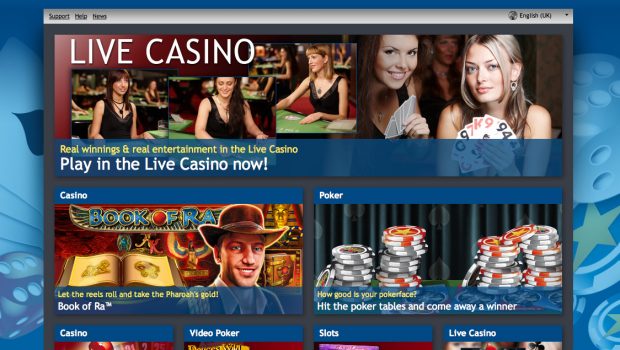
android sovellus casinolykasino App offers a mobile platform that equals the desktop site but adjusts the layout for touch screens. The app is designed for iPhone and iPad users who seek quick access to games without repeated browser logins. The sections below detail supported devices, the installation sequence, in-app tools, performance numbers, data use, and the main differences between the mobile and desktop versions. Each part includes concrete steps so you can determine whether the app fulfills your requirements before you set it up.
Compatible Devices and OS Versions
The app operates on Apple’s iOS and iPadOS. On iPhone it functions from iPhone 7 onward and requires iOS 14.0 or later. On iPad it is compatible with the fifth-generation model and later, plus every iPad Air, Pro, and mini that can run iPadOS 14.0. Older devices such as the iPhone 6s or the first iPad Air cannot start the app because they max out at earlier iOS versions. Before you get it, open Settings, tap General, then About to view your current system version. If the number is below 14.0, go to Settings, General, Software Update and get the latest release first.
Baterie a Baterie a Využití dat
The app uses Apple’s Metal graphics framework to show slots and table games, offering frame rates above 60 fps on A12 and newer chips. Battery impact remains moderate: one hour of continuous slot play requires about 12 % on an iPhone 13 and 9 % on an iPad Pro with an M1 processor. Data use averages 3.8 MB per minute for high-definition video slots and falls to 1.2 MB per minute for classic table games that use lighter assets. Players on limited mobile plans can enable a data-saver mode in the Settings menu; this mode decreases animation quality and disables background music, lowering data use by roughly 40 %. The app also caches the last fifty game assets locally, which decreases later load times and lowers data transfer further.
Installation Steps and First Run
After the profile is approved, the app icon appears on the home screen. Selecting it begins a fast check of the file you downloaded. When the check completes, the login screen appears. New users register an account with an email address and a password that has at least eight characters and one number. Existing users sign in with their standard details. The first launch also asks for permission to send push notifications. Enabling this enables the app notify you about time-limited offers without keeping the device awake. After configuration, the app stores a secure token so later launches avoid the login screen unless the session times out after seven days of inactivity.
Installing the App from the Authorized Source
The only trusted source is the direct link on casinolyapp.com/fi/app/. Tapping the link opens a short page that detects your device and shows one download button. The file is about 85 MB, so a stable Wi-Fi connection helps avoid extra mobile data charges. When the download finishes, iOS shows a prompt about an unidentified developer. Go to Settings, General, VPN & Device Management, find the Casinoly profile, and tap Trust. This step activates the certificate and is needed only once. The whole process, including the profile approval, usually takes less than three minutes on recent iPhone or iPad models.
Key In-App Options and Browsing
The main menu resides at the bottom of the screen and contains five permanent tabs: Lobby, Search, Promotions, Wallet, and Account. The Lobby tab shows game categories in horizontal carousels, each restricted to twelve titles to ensure load times short. The Search tab activates a filter that accepts both game names and provider names, adjusting results after every keystroke. The Promotions tab shows active deposit bonuses and free-spin offers with countdown timers. The Wallet tab indicates live balances for all supported currencies and includes a one-tap deposit button that launches a secure web view inside the app. The Account tab holds responsible-gaming tools such as deposit limits, session reminders, and self-exclusion settings. All five tabs stay reachable during play through a swipe-up gesture that collapses the active game instead of closing it.
Extra In-App Tools
Gameplay History and Export
Inside the Account tab, the Session History section records every round with timestamps, stakes, and results. Each entry can be accessed to show the random-number-generator seed and the theoretical return-to-player value for that title. Users who require external records can download the last thirty days of data as a CSV file delivered to the registered email address. The export is produced on request and usually arrives within two minutes.
Differences Among Mobile App and Desktop Site
The desktop site employs a multi-column layout designed for larger screens and provides advanced filters such as volatility sliders and minimum RTP selectors. The mobile app condenses these filters into a single scrollable sheet to keep the interface clean. Deposit limits on the desktop site can be configured for daily, weekly, or monthly periods, while the app permits only daily and weekly limits to simplify touch input. Game loading times on desktop are around 1.8 seconds on a fibre connection, whereas the app requires 2.4 seconds over 5G and 3.1 seconds over LTE because of extra TLS handshake steps on mobile networks. Finally, the desktop site handles up to four live-dealer tables in separate windows at the same time; the app confines live tables to one active stream to conserve memory on devices with 4 GB of RAM or less.
Protection Features and Account Protection
All information between the app and Casinoly’s servers travels over TLS 1.3. The app keeps no payment card details; instead, it uses Apple’s Secure Enclave to store a device-specific token that corresponds to stored credentials on the server. Biometric login via Face ID or Touch ID can be activated in the Account tab and requires re-authentication after three failed attempts. If the device is lost, the Account tab’s remote logout function removes the stored token, stopping further access even if the app is still installed. Two-factor authentication via an authenticator app is required for withdrawals above a threshold set in the account settings, providing another verification step beyond the biometric check.
After reviewing device compatibility, installation steps, performance numbers, and security features, the next practical move involves confirming that your iPhone or iPad fulfills the iOS 14.0 requirement and then use the official download link on casinolyapp.com/fi/app/. Once the app is installed and your account is protected with biometric login, you can test a single low-stake round to determine whether the graphics and controls meet your expectations before making larger deposits.